 blog
blog
Best Travel Gear for Digital Nomads: 2026 Guide
Table of Contents
- Why Choosing the Right Travel Gear Matters for Remote Work
- Best Backpack for Digital Nomads: Storage, Comfort, and Durability
- Tech Gear for Digital Nomads: Portable Workstations and Connectivity
- Digital Nomad Packing List: What to Bring and What to Leave Behind
- Remote Work Travel Essentials: Internet, Power, and Reliability
- Packing Smart: Weight, Dimensions, and Durability for Long-Term Travel
- Frequently Asked Questions
Last Updated: October 7, 2026
Why Choosing the Right Travel Gear Matters for Remote Work
The difference between a miserable trip and a productive one often comes down to what you pack. When you're working from airports, cafés, and coworking spaces, your gear either supports your workflow or sabotages it.
Remote workers face a unique challenge. You need to carry your entire office across multiple continents, pass through airport security, and still have room for actual clothes. Most people overpack, then struggle with weight limits and disorganised compartments.
At VentureBuilt Co., our approach focuses on three core principles: maximise storage without adding bulk, keep essentials organised and accessible, and distribute weight comfortably across your back.
Best Backpack for Digital Nomads: Storage, Comfort, and Durability
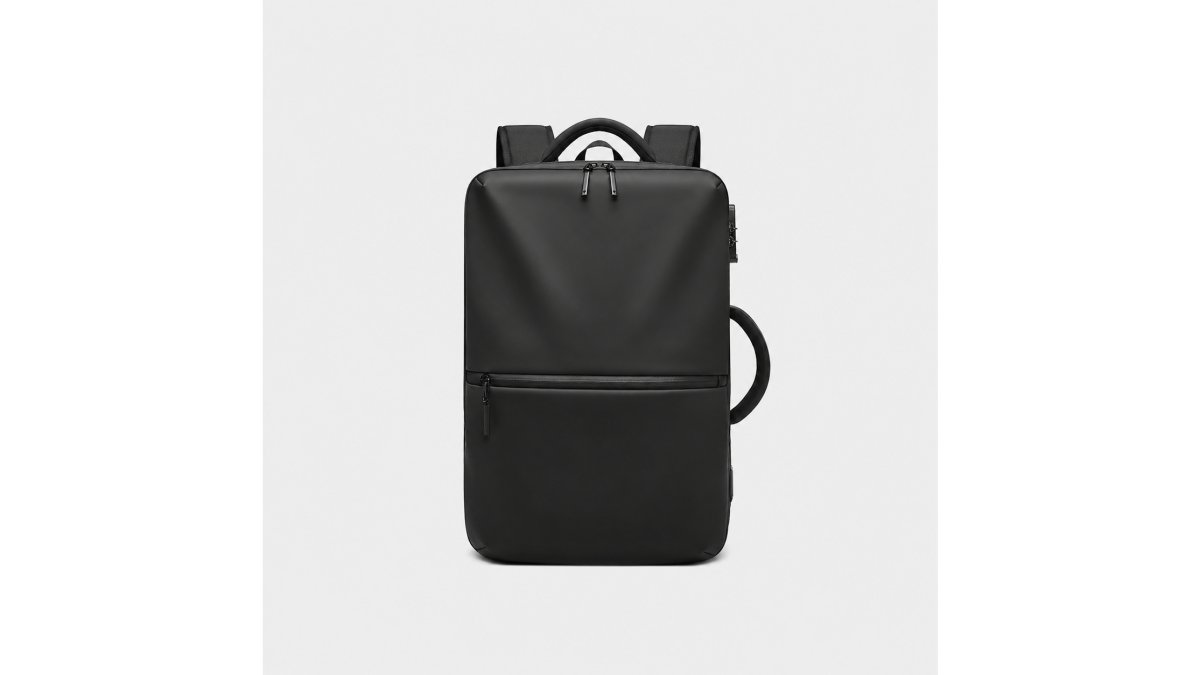
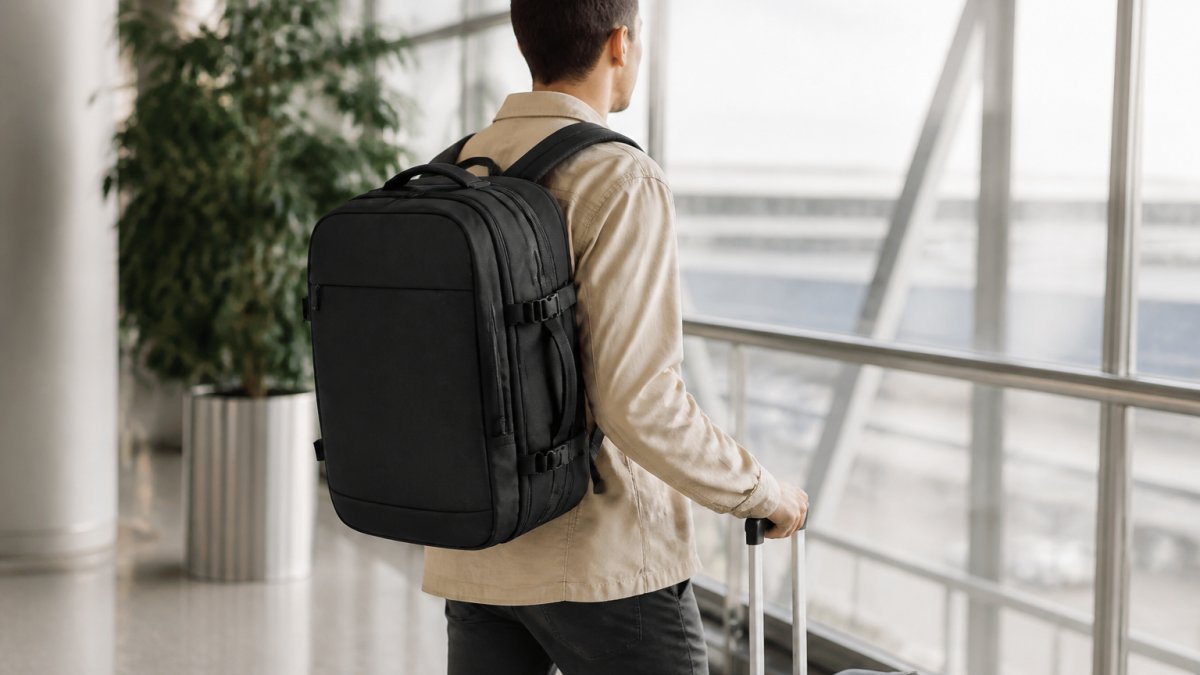
A solid backpack is non-negotiable for digital nomads. You'll spend hours wearing it, moving through terminals, and stuffing it into overhead bins. It needs to handle the weight of your laptop, documents, and gear without leaving your shoulders aching by day three.
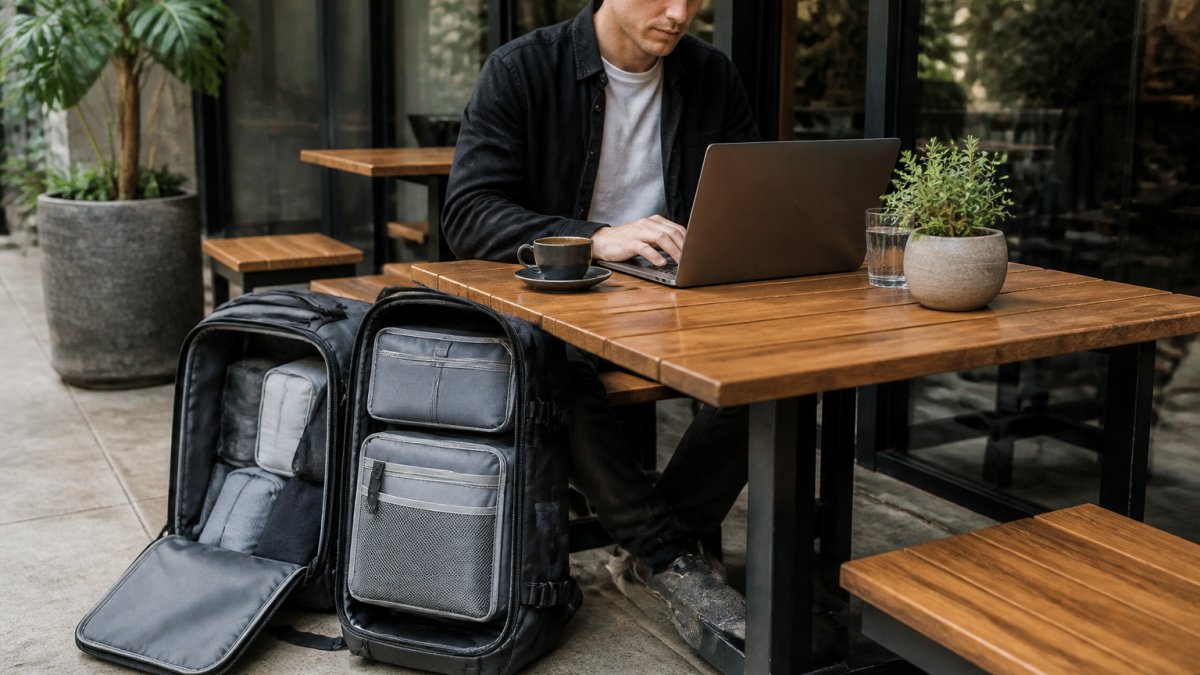
Expandable capacity and compression systems
Look for a backpack that grows with your packing needs. Most digital nomads benefit from a 32-40 litre capacity that can expand when needed.
VentureBuilt Co.'s vacuum compression backpack solves this directly. It starts at 32 litres and expands to accommodate extra gear, then uses an included air pump to compress everything down.
The compartmentalisation also matters. Dedicated laptop sleeves, document pockets, and wet-item sections keep your gear organised and protect sensitive equipment. When your power cable isn't tangled with your charging phone, you save time and frustration.
Weight and carry-on compliance
Airlines impose strict carry-on limits, typically 7 kg for most carriers. An empty backpack should weigh no more than 2-2.5 kg so you have room for actual gear. Check the specifications before buying; many travel backpacks exceed this without being fully loaded.
Equally important is the weight distribution system. Padded back support, adjustable shoulder straps, and a hip belt that actually transfers load to your hips (not your shoulders) make the difference between comfortable travel and back pain. A well-designed backpack should feel balanced even when fully packed.
Tech Gear for Digital Nomads: Portable Workstations and Connectivity
Your laptop is your lifeline, but a laptop alone isn't enough for productive remote work. You need peripherals that enhance comfort and connectivity without adding significant weight or bulk.
Portable monitors and laptop stands
A portable monitor transforms your setup from hunched-over-laptop to proper workstation. These weigh 400-600 grams and fold flat in your bag. They connect via USB-C or HDMI, giving you a second screen in any café or coworking space.
Pair this with a lightweight laptop stand. Elevating your screen to eye level prevents neck strain during long work sessions. Collapsible stands weigh under 300 grams and take up minimal space. The combination of a stand and portable monitor can help prevent discomfort during long work sessions.
Power banks, charging cables, and adapters
A multi-port power bank (20,000-30,000 mAh) charges your laptop, phone, and headphones simultaneously. Look for one with USB-C Power Delivery, it's faster and more versatile than older charging standards.
Universal travel adapters are non-negotiable. Get one that covers multiple outlet types (UK, EU, and others) rather than buying region-specific adapters. Some include USB ports, which is convenient but adds weight. A quality adapter handles voltage conversion for most devices.
Cable management matters more than people think. Use cable organisers or small pouches to prevent tangling. A single tangled cable can damage connectors or short-circuit devices. Invest in durable, braided charging cables that withstand repeated coiling and uncoiling.
Wireless keyboards and ergonomic accessories
A compact wireless keyboard (under 500 grams) paired with a portable mouse gives you a proper typing experience without the bulk of a full-size keyboard. Bluetooth connectivity means no dongles required. Many digital nomads find that typing on a laptop keyboard for extended periods can lead to discomfort; a separate keyboard can help mitigate this.
Consider a small ergonomic mouse rather than relying on your trackpad. It can help reduce wrist fatigue. Mechanical keyboards designed for travel exist but add unnecessary weight; a quality wireless keyboard is the practical choice.
Digital Nomad Packing List: What to Bring and What to Leave Behind
Overpacking is the most common mistake remote workers make. You convince yourself you might need something, so you pack it. Then you carry it through three countries and never use it.
Essential items for work and productivity
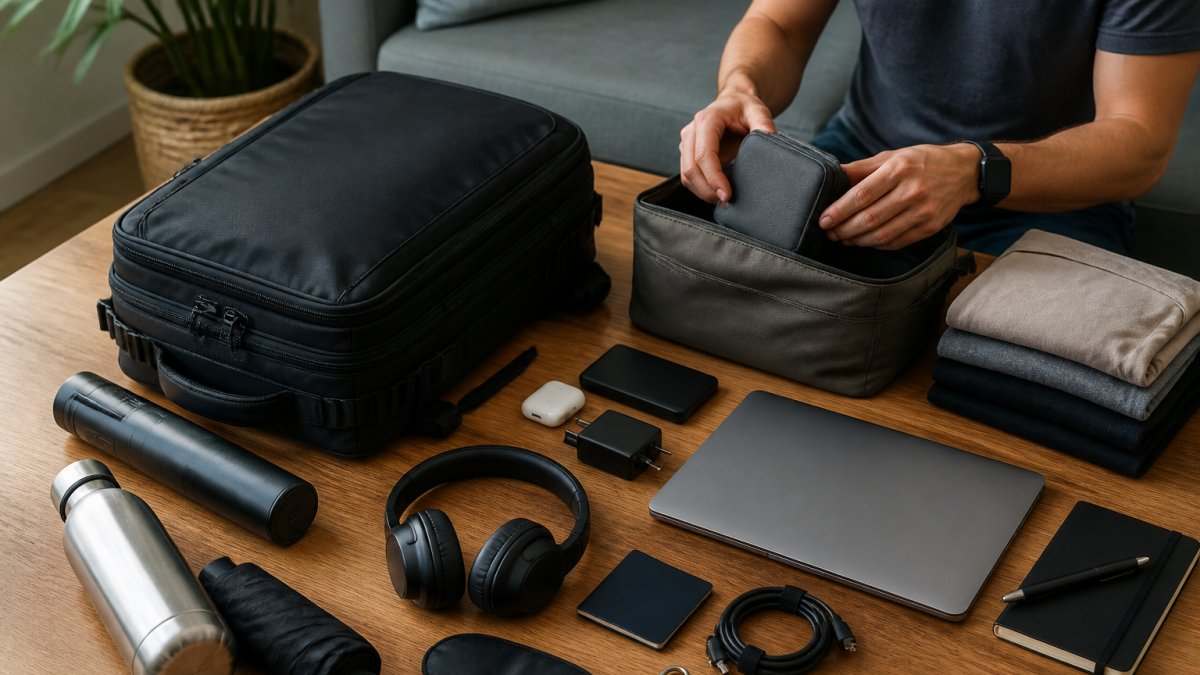
Your core work items: laptop, charger, portable monitor (optional but recommended), wireless keyboard and mouse, notebook, pen, and headphones. That's your foundation. Everything else should earn its place based on actual use patterns, not hypothetical scenarios.
Add a small pouch for cables and adapters. A cable organiser prevents the chaos of loose chargers and prevents damage.
Consider a document folder or slim portfolio for contracts, visas, and receipts. Digital nomads often need physical paperwork despite working remotely. A waterproof folder weighs almost nothing and protects important documents from coffee spills and airport humidity.
Comfort and organisation gear
Packing cubes compress clothing and keep items organised by category. They save space and make repacking between locations faster. Most digital nomads benefit from 3-4 cubes rather than loose clothing.
A small toiletries bag keeps essentials contained and prevents liquid spills inside your backpack. A microfibre towel weighs almost nothing and dries faster than cotton, which matters when you're moving constantly.
Compression bags work well for bulky items like jackets, but they add weight and take up space when not in use. Packing cubes are more practical for most digital nomads because they stay compact and organised.
Remote Work Travel Essentials: Internet, Power, and Reliability
Connectivity and power are non-negotiable for remote workers. A café with good WiFi is only useful if your laptop has battery life, and your laptop is only useful if you can actually connect.
Mobile hotspots and eSIM connectivity
A portable WiFi hotspot (weighing 100-200 grams) provides backup internet when café WiFi fails or when you're between locations. Many digital nomads pair this with a local eSIM in each country they visit. An eSIM is a digital SIM card that activates instantly without requiring a physical card swap.
Research your destinations before travel. Some countries have excellent eSIM coverage; others require a physical SIM card. Knowing this in advance prevents connectivity disasters. A backup power bank ensures your hotspot stays charged throughout the day.
Backup power and cable management
Carry at least two charging cables for your laptop and phone, one in your main backpack and one in your day bag. A single cable failure strands you without power. Quality matters here; cheap cables fail faster and can damage your devices.
A compact power strip with USB ports lets you charge multiple devices simultaneously in hotel rooms or coworking spaces. It weighs under 500 grams and solves the common problem of insufficient outlets. Some include surge protection, which safeguards expensive equipment from power fluctuations in developing countries.
Packing Smart: Weight, Dimensions, and Durability for Long-Term Travel
Travel gear must balance functionality with practicality. A feature that sounds good in theory becomes a burden when you are carrying it through airports daily. This section covers the numbers most guides skip: measured weights, real carry-on limits, and how gear holds up over years of use.
Meeting airline carry-on restrictions
Most airlines allow carry-on bags up to 56 × 45 × 25 cm and 7 kg total weight. Some carriers are stricter: a few low-cost airlines enforce 7 kg strictly and weigh bags at the gate, while others allow 10 kg on international routes.
A practical target for a full work setup:
- Empty backpack: 1.5-2.5 kg
- Laptop + charger: 1.5-2.5 kg
- Portable monitor + stand: 0.7-1.2 kg
- Keyboard + mouse: 0.5-0.8 kg
- Power bank + cables + adapter: 0.8-1.2 kg
- Headphones + notebook + documents: 0.5-0.8 kg
That is 5.5-9 kg before clothing. The lesson: if you want to stay under 7 kg, you cannot carry every premium item.
Pack your backpack in a test run before your first trip. Fill it with your actual gear and weigh it on a kitchen scale. If it exceeds 7 kg empty or reaches that limit when packed, you have chosen wrong.
Quality and repairability for extended journeys
Cheap gear fails when you are relying on it most. A backpack with reinforced stitching, quality zippers, and durable fabric lasts years of constant travel. Look for:
- Zippers. YKK or equivalent, with lockable pulls. Zipper failure is the most common backpack breakdown.
- Fabric. 400D-1000D nylon or polyester with a water-resistant coating. Higher denier is more abrasion-resistant but heavier.
- Stitching. Bar-tacked at stress points (strap anchors, handle, zipper ends).
- Warranty. Many quality brands offer limited lifetime warranties covering manufacturing defects, though not wear and tear. Check what is actually covered before you buy.
Repairability matters too. Can you replace a broken zipper or repair a seam without sending the bag to a repair shop for weeks? Quality gear often has replacement parts available and can be repaired by local seamstresses in most cities. This extends the life of your investment significantly. A well-made backpack can offer dependable quality for years of travel.
Weight distribution and carry comfort
A well-designed backpack should feel balanced even when fully packed. Look for padded back support, adjustable shoulder straps, and a hip belt that actually transfers load to your hips rather than your shoulders. A hip belt that sits correctly can help distribute the load, contributing to more comfortable travel.
Test your gear before committing to long-term travel. Take your backpack on a weekend trip. Use your portable monitor for a week. Charge your devices with your power bank daily. Real-world testing reveals problems that reviews never mention.
Frequently Asked Questions
What are the essential items in a digital nomad packing list?
A solid digital nomad packing list includes your laptop, power bank, portable charger, universal travel adapter, wireless headphones, lightweight clothing, toiletries, travel documents, and a reliable backpack. Add a portable monitor if you spend significant time working from fixed locations, and include a mobile hotspot or eSIM for consistent internet. Packing cubes and cable organisers help keep everything accessible without adding bulk. Prioritise items that serve dual purposes, a scarf that doubles as a pillow, clothing that works across seasons, to maximise space.
How do you choose a backpack for working while travelling?
Look for a backpack with dedicated laptop compartments, expandable capacity (typically 32-40 litres), and comfortable padded straps with back support for extended wear. Weight matters: aim for under 1.5 kg when empty so you stay within carry-on limits when packed. Check that it has organisational compartments for tech cables, documents, and wet items. Test the straps and back panel for comfort during a full day of wear. A compression or vacuum system reduces bulk, letting you pack more without exceeding airline restrictions.
What tech gear do digital nomads need for remote work?
Essential tech gear includes a lightweight laptop (your primary workstation), a portable monitor for extended work sessions, a wireless keyboard and mouse for ergonomic comfort, noise-cancelling headphones for calls and focus, a power bank with sufficient capacity (20,000 mAh or higher), and a universal travel adapter. Add a portable stand to elevate your laptop screen to eye level. For connectivity, carry a mobile hotspot device or eSIM card as backup internet. Cable organisers and a protective laptop sleeve prevent damage during transport.
How can digital nomads pack efficiently for long-term travel?
Use compression packing cubes to separate clothing by type and reduce volume. Roll clothes instead of folding, and choose a backpack with expandable capacity so you can adjust storage as needed. Prioritise versatile, lightweight clothing that works across seasons and can be layered. Keep frequently used items (chargers, documents, medications) in easily accessible compartments. An included air pump or vacuum system lets you compress soft items further. Plan your packing around your work setup first, laptop, monitor, keyboard, then build around those essentials rather than packing clothing first.